improve the approval process for users who manage customer relationships
Overview
I worked on several properties within the enterprise suite that were used to manage relationships between Microsoft sales/support users, and the customers who purchased software and services. One of these being deal management where approvals were a part of the process.
What are approvals?
Approvals are contingencies that must be completed (approved) before a contract can be signed or before further work can be done on an existing contract.
Approval types
Delivery
ESAP
Financial
Non-standard Billing - Related
Consulting Pricing
Support Pricing
Service Quality Assurance
Who are the users?
Submitters
These users submit approvals based on changes in support or services related to the contractApprovers
These users act on the approval to address issues that need to be resolved so the approval can be completed.
Problem
The current approval process was manual, and time-consuming. Users had to use multiple internal tools to submit and check status of approvals. They also didn’t have visibility into where the approval was in the process, who to contact for answers, what other approvers might need to be involved, and get details about the specific approval being worked on.
My role
I led the UX design in collaboration with other UX designers, researchers, stakeholders, and developers.
I also conducted user interviews
Worked with our UX researchers to conduct usability studies
Synthesized the data into artifacts that helped inform the product team’s strategy towards possible solutions.
Goal
Give users more visibility into the approval process, and provide one place for users to submit, manage approvals.
Provide more visibility into the approval process so users felt more informed, and in control
Surface information that helped users manage the process more effectively
Reduce the amount of time taken to process an approval request
Research methods
We received user feedback via field council meetings in collaboration with the business team, and researchers
Ongoing user interviews were conducted by our research team to further inform our efforts to improve the experience
I conducted usability sessions where users completed common tasks within the approval experience using prototypes
Uncovering pain points
The current process didn’t inform users about the status of the approval - users weren’t sure whether the approval was in-progress, rejected…
We also found out that users weren’t clear on who the other players were in the process (submitters, approvers…)
Another pain point was that they didn’t receive detailed information about requirements they might have to address prior to things being approved
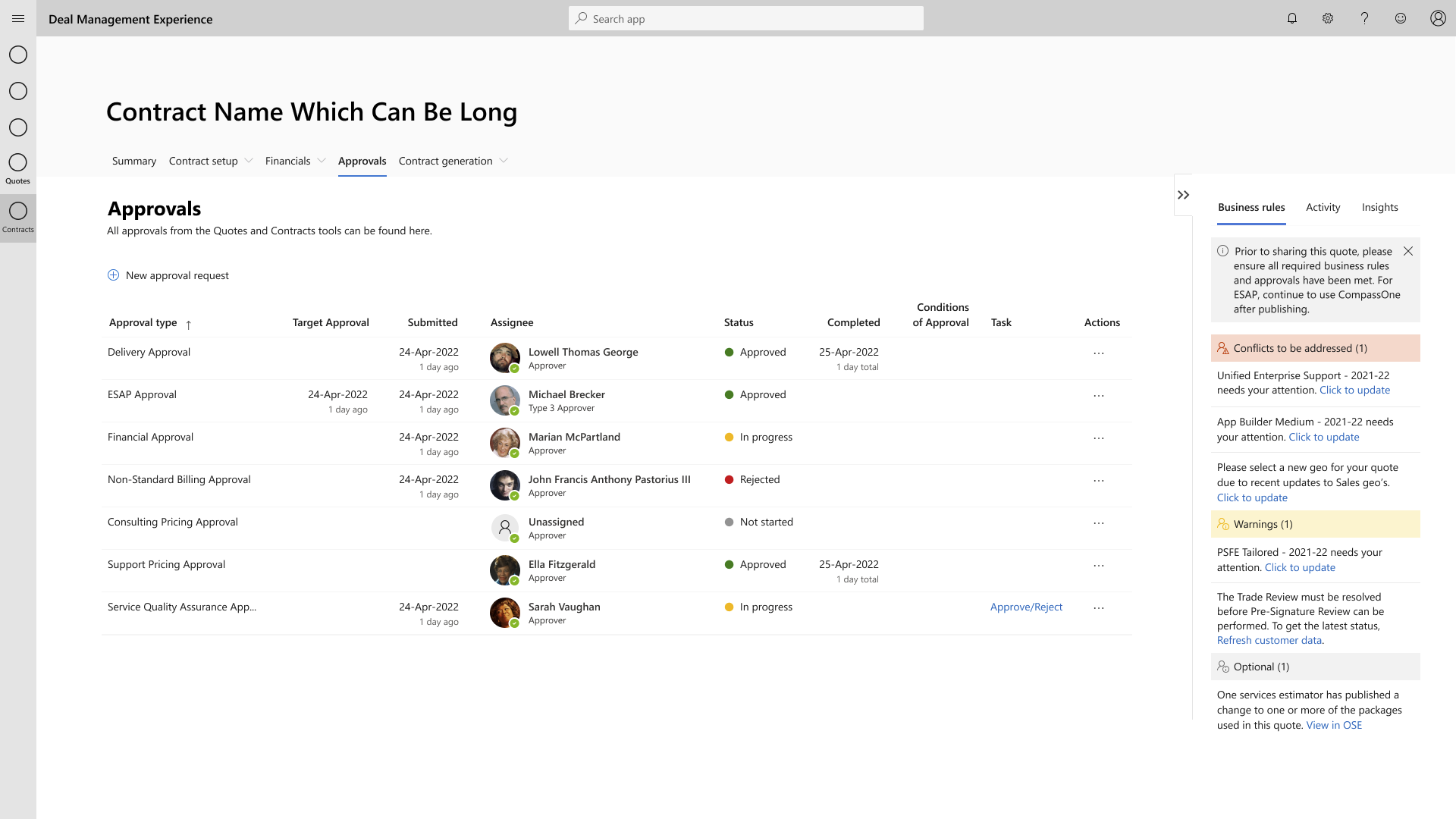
Addressing key pain points: Approval portal where users can create, and manage approvals. Provide clear status so users know where the request is in the process. Show assignees so users know who’s next, and also contact for questions if necessary.
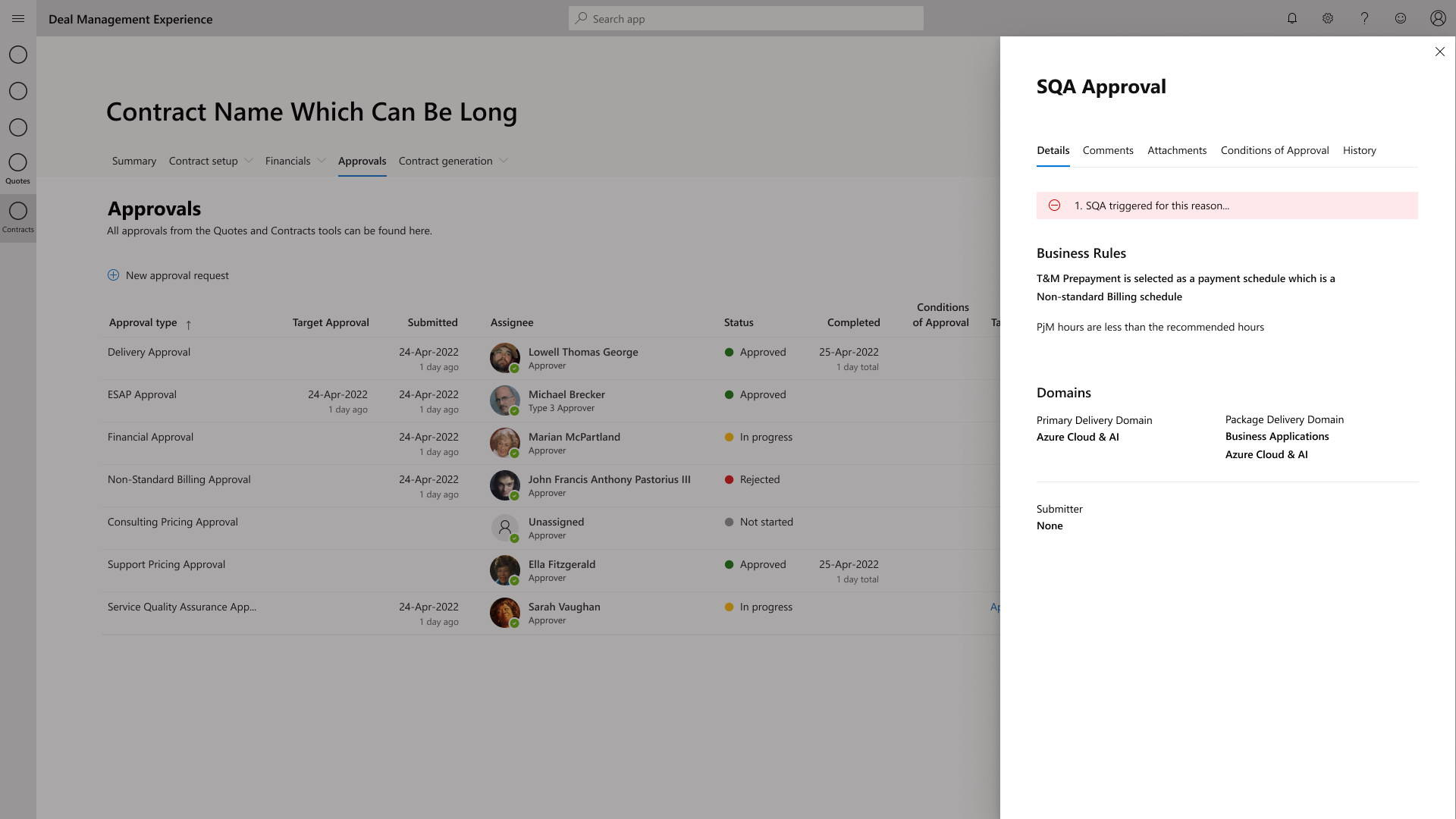
Users could access details (and other functionality through the “Actions” column) that gave them more information about the request that they could act on to expedite the approval.
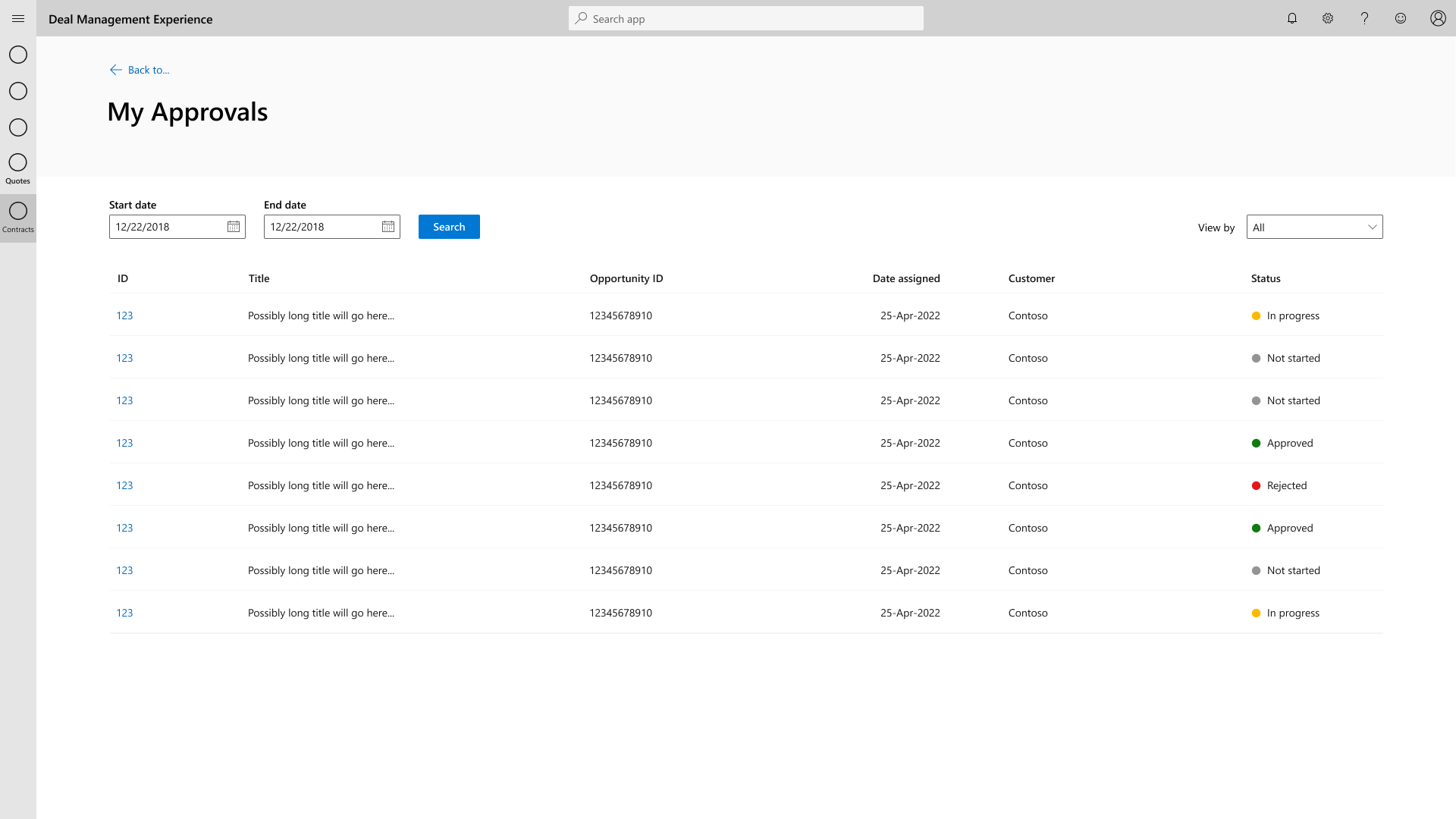
Mockup showing “My Approvals” so users could see a comprehensive list of all their approvals, not just by contract.
Feedback
Based on usability sessions, users were able to get a much better understanding about where the request was in the process.
They were able to see the status of the approval clearly
Clearly see what task was next to be completed
See what other approvers were necessary/next in the process
They also appreciated the ability to see details, make comments, and manage the process in various ways that helped them expedite the request
Feedback to explore
Some users had a hard time seeing the actions column
During some sessions we’d ask a user to find where they might be able to see more details about the approval and they didn’t make the connection between the ask and the Actions column
Another piece of feedback was that some users wanted to know if there was a comprehensive view of all their owned approvals like “My Approvals.”
Continue to test and iterate
The plan was to keep testing, and getting user feedback to make the experience better for users.