Make it easier to update store hours
Overview
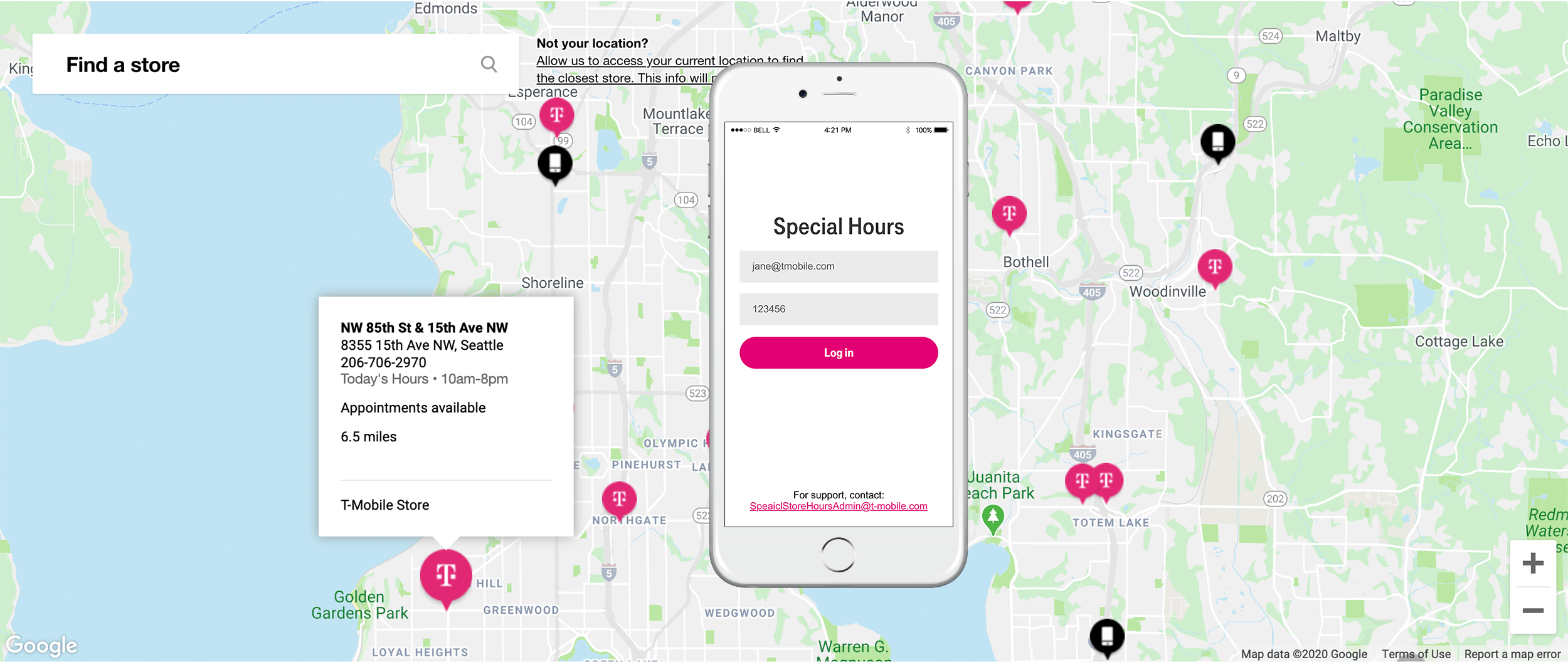
The store-ops team was responsible for updating hours for all the T-Mobile stores for holidays, weather, power outages, and other events. Once updated the results would show up on the T-Mobile store locator so customers could see accurate store hours.
Problem
Store ops employees needed a more efficient way to update store hours because the current process was time consuming, error prone, and didn’t offer a mobile solution so they could make updates from anywhere.
Role
User Research, Interaction, Prototyping & Testing
Scope & Constraints
4 weeks
Remote team
Process
User interviews
I interviewed 4 store ops team members to understand the current process, and find opportunities to improve their experience.
Time on task
I also conducted time-on-task observations to determine how long it took users to update hours, and inform our success KPIs.
Competitive research
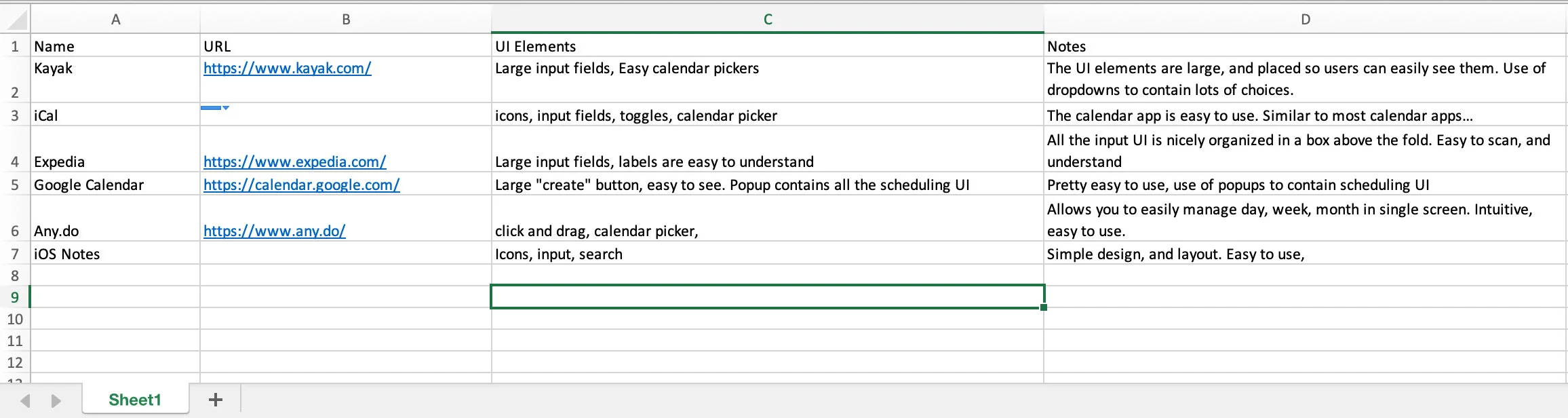
I looked at applications for UI patterns that might serve the needs of our users in completing their tasks.
Findings
The process was manual, and error prone
Team used a Sharepoint site, and spreadsheets to manage updates
No mobile experience (users were on the go, and might not be near a computer)
No ability for bulk updates (users had to input stores one at a time)
Average of 10:25 minutes to update one store
User quotes
”It’s frustrating that we can only update one store at a time.”
”Sometimes we need to update store hours when we’re not near a computer.”
”Customers have called complaining that the store hours on the locator are wrong.”
Journey map
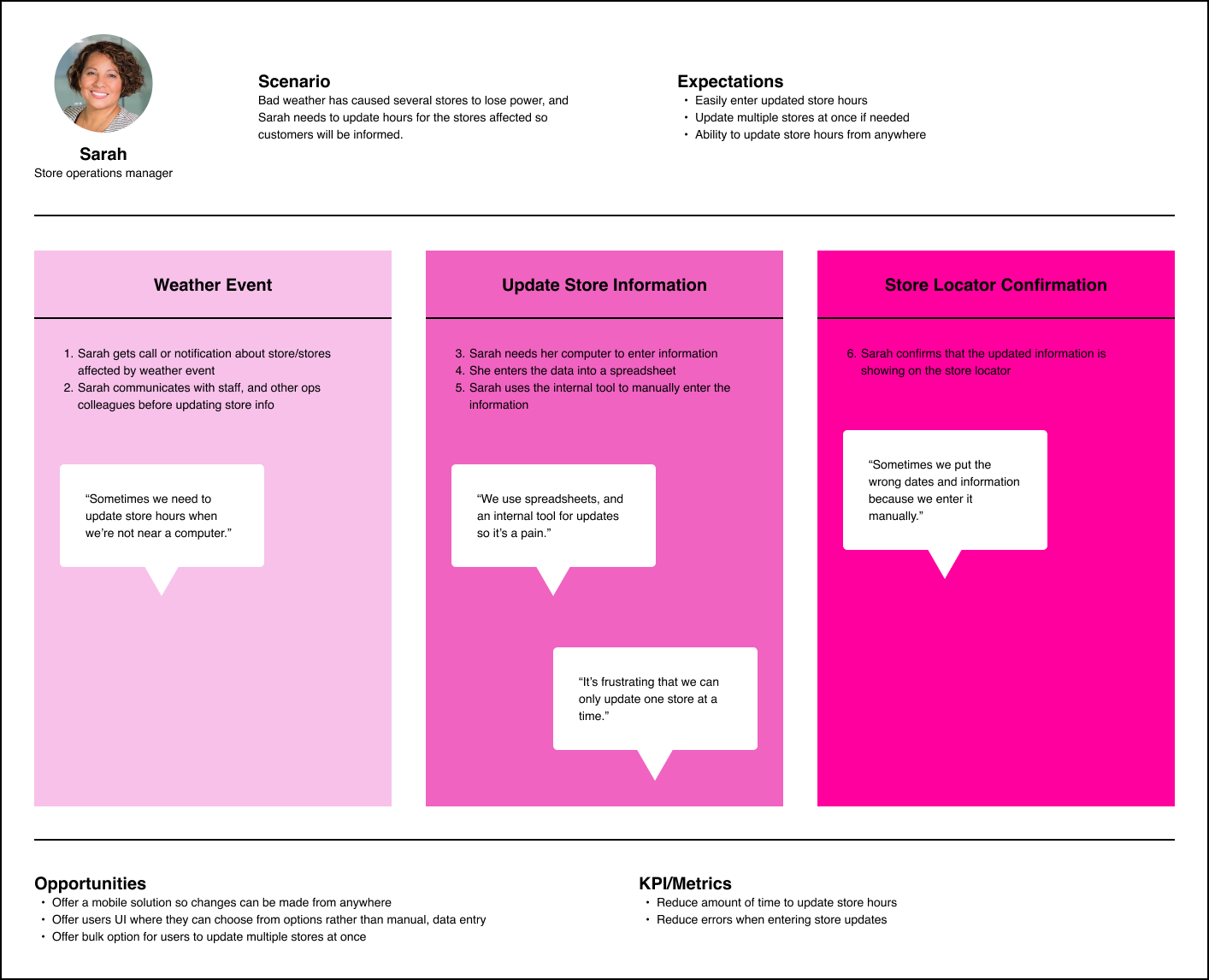
The finding were translated into a visual journey map to help the team identify pain points, and opportunities to improve the experience.
Sketching
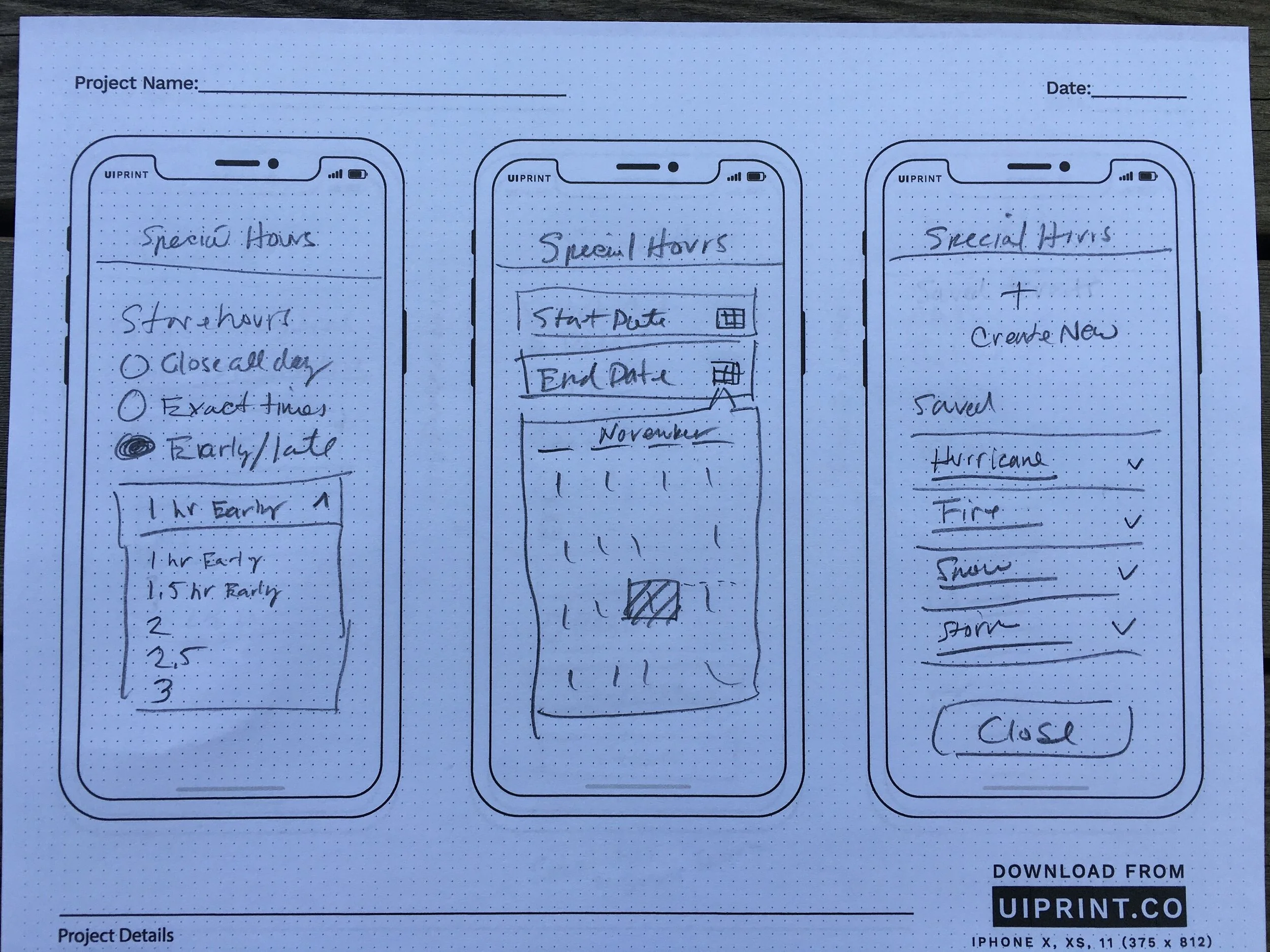
Based on my discovery, and collaboration with the team I started sketching out ideas.
Hi-fidelity
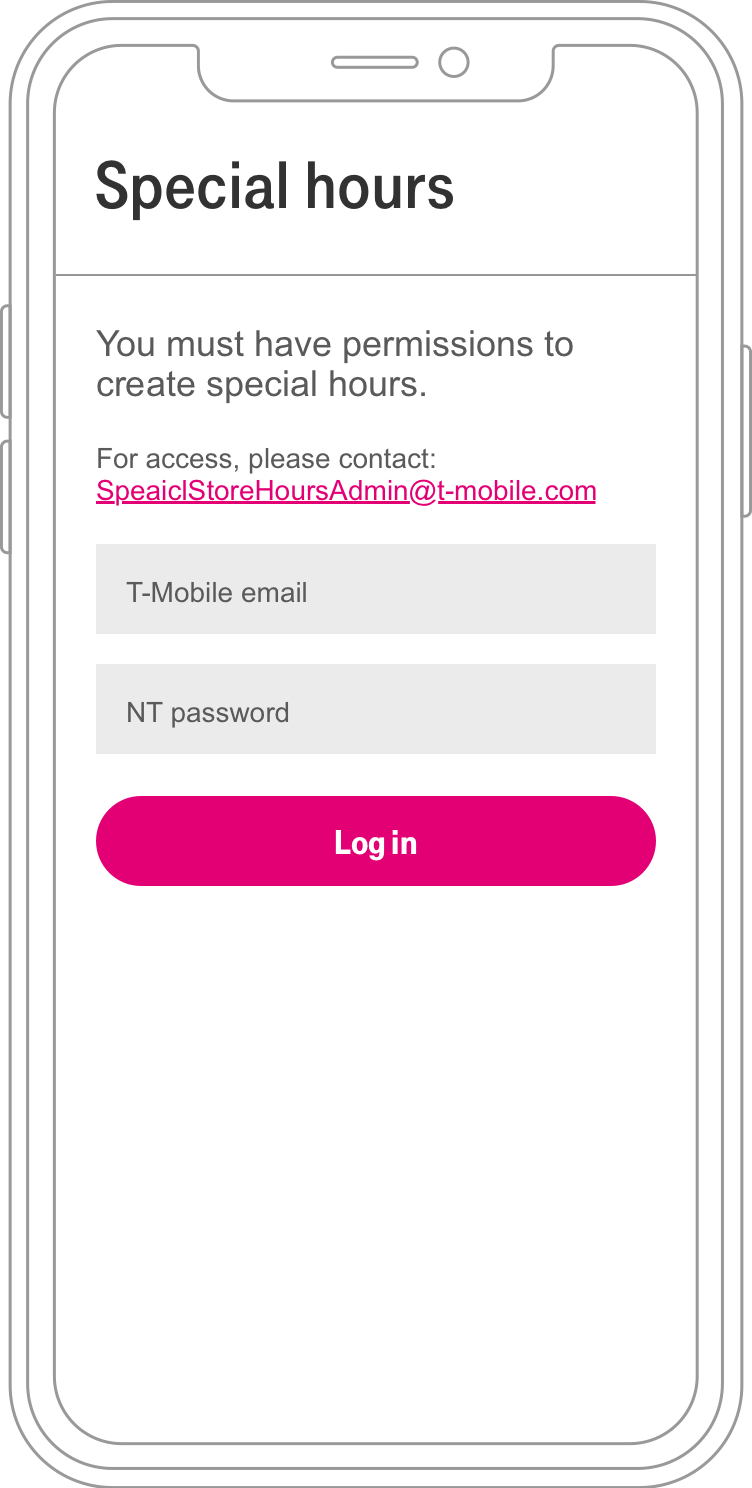
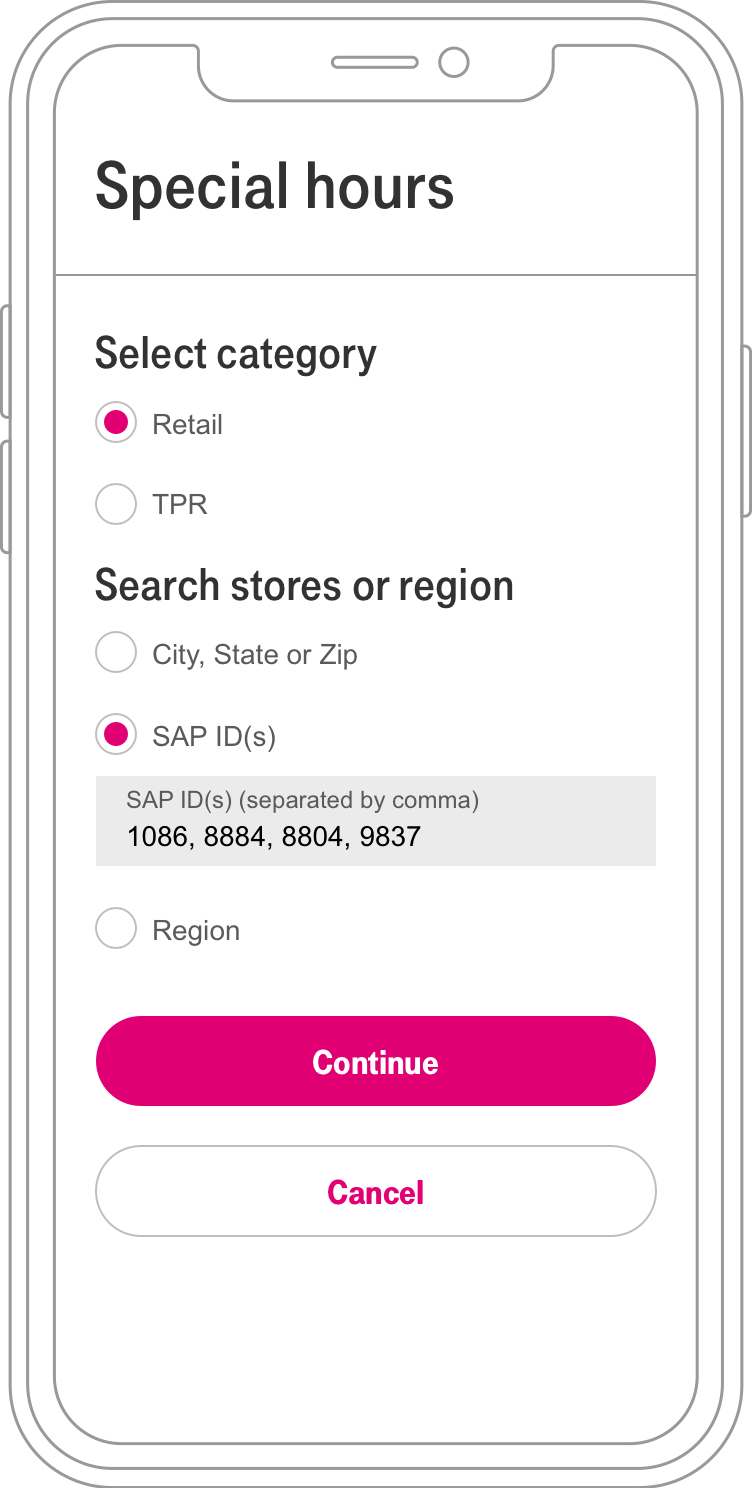
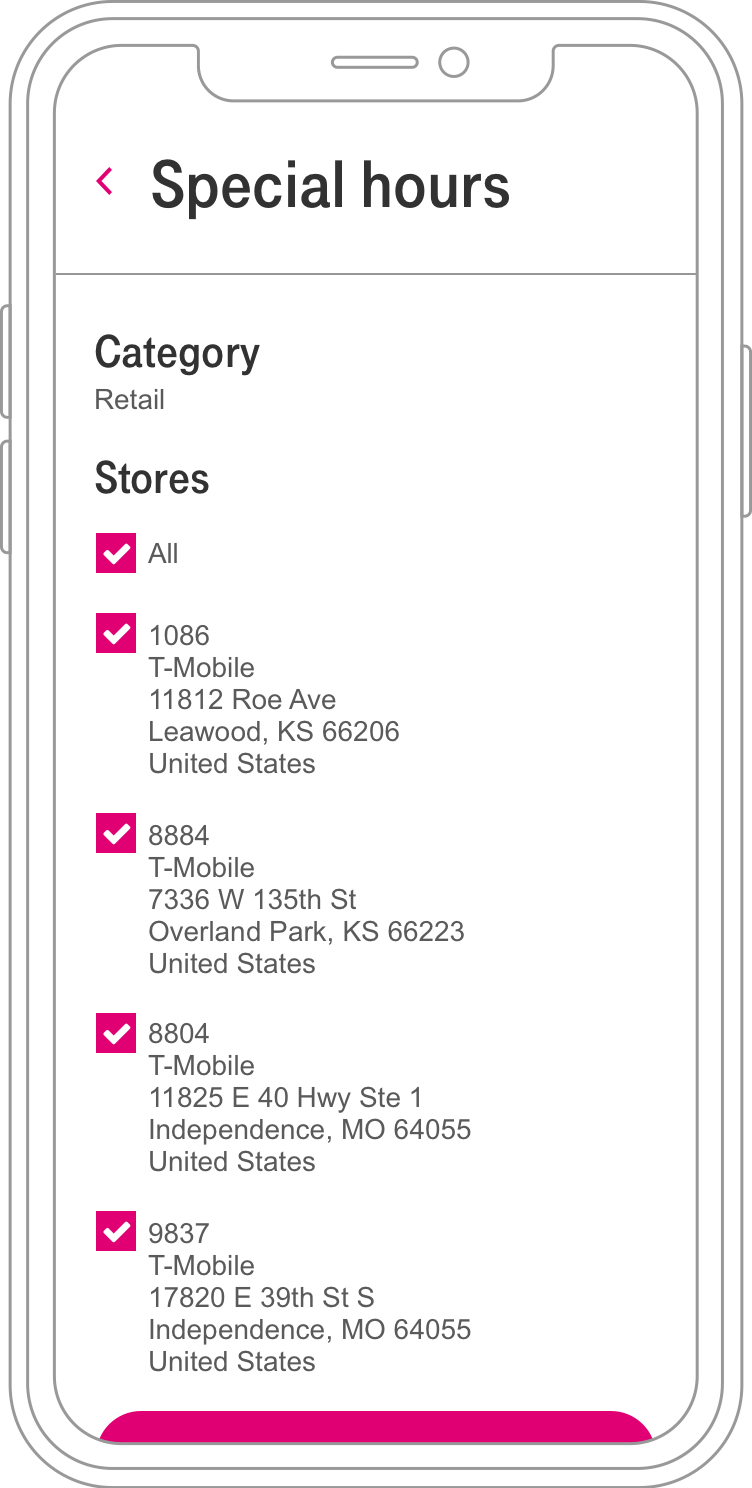
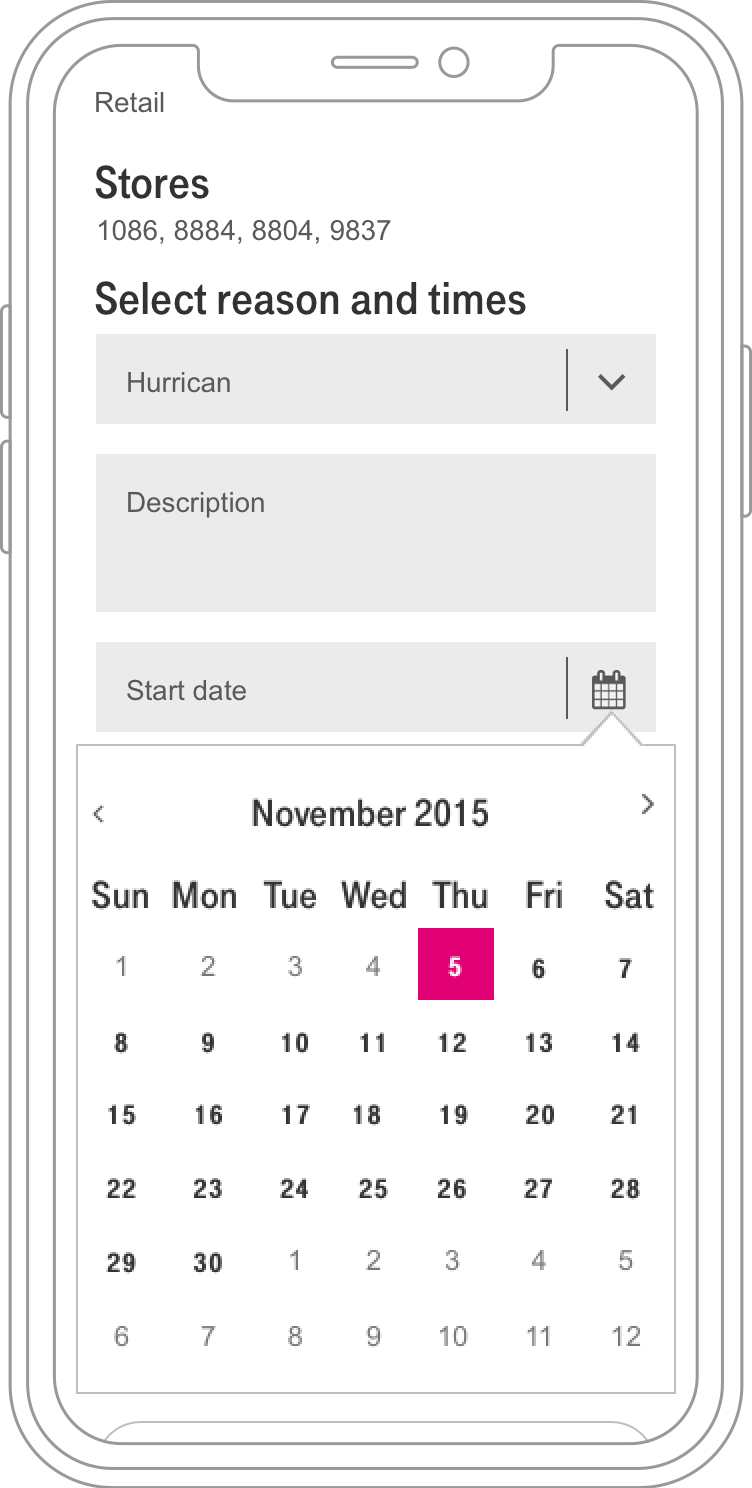
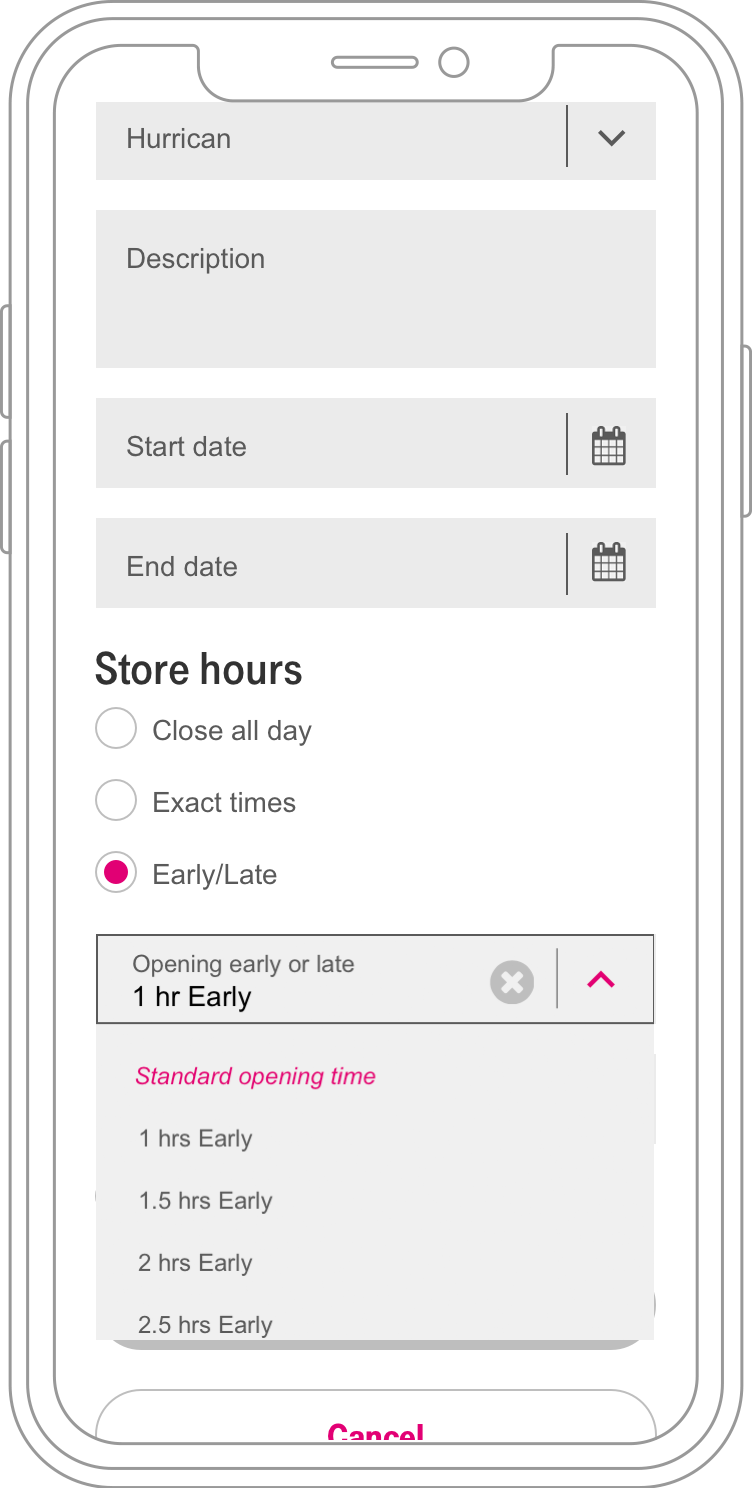
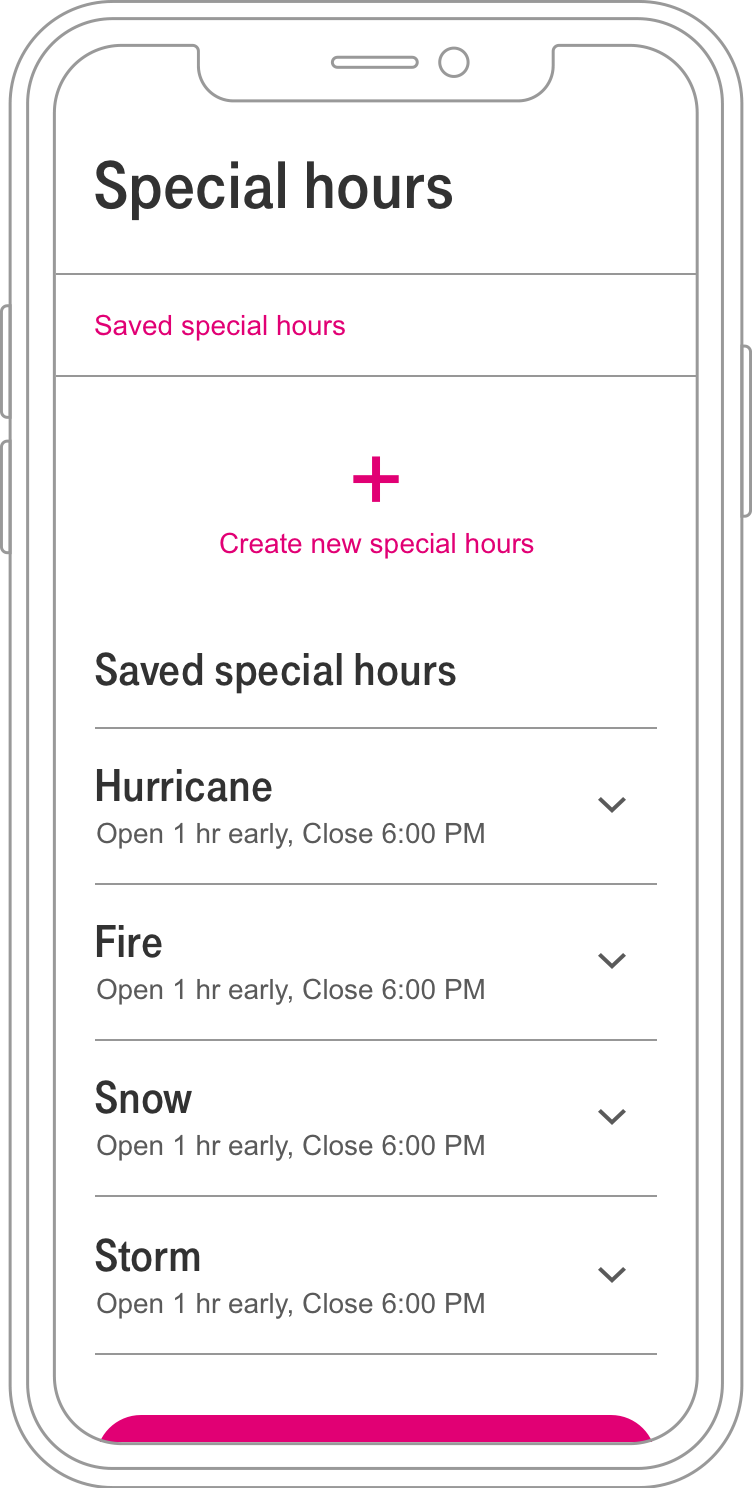
After the sketches were vetted with the team, I created hi-fidelity mocks.
Prototype & User Testing
I ran usability tests with 4 users having them update stores using the prototype.
findings
4 of 4 users completed store updates easily
3 of 4 users had a hard time seeing that their selections were being saved as they stepped through the process
Considerations
Consider calling out the saved sections with some indicator that makes it more obvious to users.
results
The new web app allowed users to easily update store hours from anywhere with a mobile solution
The UI offered choices rather than data entry to reduce errors
Bulk uploads allowed users to update multiple stores at once saving time
Saw an average of 51% time savings
I left the project before the launch of the app, but I was able to get some feedback on the experience through testing the prototype I’d created.
Next steps
More user testing
Monitor key performance indicators
Time on task
Number of errors
Number of support calls from customers
Iterate on learnings